
How It Works
Kidora is a UK-only marketplace where parents and families can buy and sell new and preloved baby and children’s items.
Browse baby clothes, children’s clothing, toys, books, pushchairs, nursery furniture, feeding equipment, school items, maternity wear and other family essentials from sellers across the United Kingdom.
Kidora supports both nationwide InPost delivery and local collection. Sellers pay no listing or selling fees to Kidora, while buyers pay a mandatory Kidora Fee on eligible paid purchases. Buyer Protection is included as part of the Kidora Fee. Parents can also list suitable items at £0 as FREE for another local family to collect.
How Selling on Kidora Works
Kidora is designed to make it straightforward to clear outgrown children’s items, create accurate listings, communicate with buyers and manage orders in one place.
1. Create Your Kidora Account
Register through the Kidora app and complete the required account information.
You must connect the PayPal account used for Kidora payments before you can publish an item for sale. Payment and verification requirements may depend on PayPal and the information needed for the transaction.
2. Choose What You Want to List
Suitable items can be listed as:
- New — genuinely unused items described accurately
- Preloved — used items with their true condition and every important fault disclosed
- FREE — suitable items priced at £0 for local collection
Do not list prohibited, recalled, counterfeit, contaminated, damaged or otherwise unsafe products.
3. Create a Clear Listing
Add the information a buyer needs to understand exactly what is being offered:
- A specific listing title
- The correct category and subcategory
- Brand, size, model or age range where relevant
- The item’s actual condition
- A complete description
- Every included part or accessory
- Visible wear, stains, damage, repairs or missing parts
- Delivery, collection or both
- An accurate price
Check the item before listing it. Find the exact model and instructions where relevant, inspect all safety components and search the UK Product Safety Alerts, Reports and Recalls database.
4. Add Useful Photographs
Use clear photographs of the actual item rather than catalogue images.
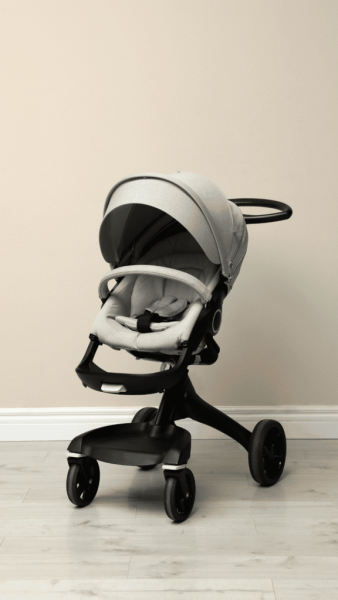
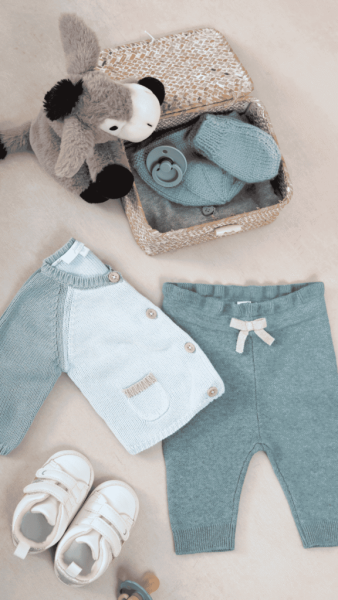
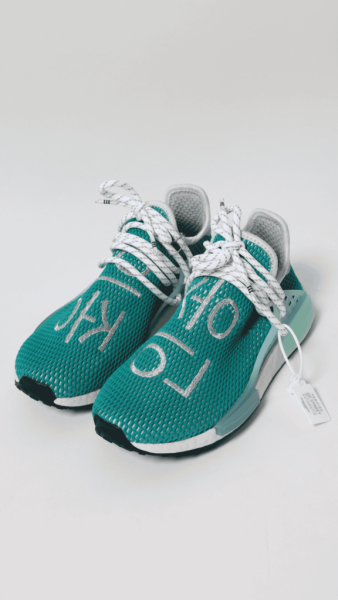
- Photograph the front, back and sides
- Use daylight or bright, even lighting
- Use a clean, uncluttered background
- Show labels, sizes, model details and serial information where appropriate
- Photograph every important mark, fault, repair or missing part
- Show every item included in a bundle
- Remove names, addresses and other personal information from the item and background
New marketplace photos added when creating or editing a listing may be checked automatically using AI-powered image moderation before the listing can be submitted. If a photo is rejected or the check cannot be completed, remove or replace it. Passing an automated photo check does not mean Kidora has inspected, certified or guaranteed the item. See our Photo Upload Policy for the full rules.
Accurate photographs help buyers make informed decisions and reduce avoidable disputes.
5. Set the Price and Fulfilment Options
Choose the item price and whether it is available for InPost delivery, local collection or both. When InPost is selected, choose parcel size A (Small), B (Medium) or C (Large). A saved sender/return address is required for InPost listings.
Consider:
- The item’s current condition
- Its original and current new price
- Age, completeness and demand
- Comparable listings
- Packaging and delivery costs
- The buyer’s total checkout cost
Sellers set the item price. For InPost delivery, the seller does not set a fixed postage price; the current delivery price is calculated and shown to the buyer at checkout. Buyers also see the applicable Kidora Fee before completing a paid purchase.
6. Publish and Manage the Listing
Once published, the item can appear in Kidora search results, category browsing and location-based discovery where applicable.
Keep the listing current. Edit or remove it when the condition, availability, collection option or included contents change.
7. Answer Questions and Review Offers
Buyers can use Kidora messages to ask questions before purchasing. They may request measurements, compatibility information, extra photographs or clarification about the condition.
Keep all communication inside Kidora. Do not follow unexpected payment links, scan QR codes to receive money or share passwords, one-time codes, bank logins or PayPal credentials.
Where Kidora’s offer feature is used, the purchase is not complete until the buyer finishes checkout.
8. Wait for Confirmed Payment
Do not post or hand over a paid item while the order remains marked as awaiting or pending payment.
Check the order status inside Kidora rather than relying on an email, screenshot or buyer message. Continue only when the platform confirms that the payment stage has been completed.
All Kidora transactions, including local-collection purchases, must be completed through the platform. Sellers must not request cash or arrange an off-platform payment.
9. Post the Item or Arrange Collection
After a paid order is confirmed, package the item carefully and follow the order instructions.
For InPost Delivery
- Use packaging suitable for the item’s size, weight and fragility
- Make sure the parcel fits the InPost size selected for the listing
- Wait for the InPost shipment label to be created after payment
- For Locker-to-Locker, use the digital QR code at an appropriate InPost drop-off point; no printer is required
- For Home Delivery, print the provided label and attach it securely before drop-off
- Take the parcel to an appropriate InPost drop-off point within the normal fulfilment timeframe
InPost delivery statuses are updated automatically through tracking, so sellers do not manually mark an InPost order as shipped. If the parcel size needs correcting before dispatch, moving to the same or a smaller size costs the seller nothing extra; moving to a larger size requires the seller to pay only the delivery-price difference before a replacement label is created.
For Local Collection
- Arrange the collection details privately through Kidora messages after purchase
- Do not publish a home address in the listing
- Choose a practical and safe handover arrangement
- Allow the buyer to check the item against the listing where appropriate
- Mark the order as collected only after the handover has taken place
Collection does not mean cash on collection. The transaction must be completed through Kidora before the item is handed over.
10. Receive the Sale Proceeds
Kidora uses PayPal to process payments. After a buyer pays, the seller’s proceeds may remain pending while the applicable transaction period is completed.
For a standard private seller, funds are generally held for seven days to allow time for eligible issues to be reported. Different timing and rules apply to Pro Sellers, returns, cancellations, disputes, payment reviews and other exceptional circumstances.
PayPal processing, verification and compliance checks can also affect when money becomes available. Always use the current order status and applicable Kidora policy as the source of truth.
No Seller Fees
Kidora does not charge sellers a listing fee or commission on the item sale price. Sellers keep 100% of the price they set for the item, subject to any separate payment-provider costs, reversals, refunds, chargebacks or other amounts that may apply under Kidora’s terms and policies.
Buyers—not sellers—pay Kidora’s mandatory Kidora Fee on eligible paid purchases. Buyer Protection is included as part of that fee.
How FREE Listings Work
A seller can price a suitable item at £0. The listing appears to buyers as FREE.
- FREE items are available for local collection only
- The buyer secures the item through Kidora checkout
- No card payment is required for the item
- No Kidora Fee is added
- The collection address should be arranged privately after checkout
A FREE listing is still subject to Kidora’s listing and safety rules. Do not give away a recalled, broken, contaminated, incomplete or unsafe product. Describe the condition honestly so the collecting family knows exactly what is being offered.
Standard Sellers and Pro Sellers
Kidora supports different seller types.
Standard Sellers
A standard seller generally uses Kidora privately to sell personal or family belongings they no longer need.
Purchases from private sellers do not carry all the same statutory cancellation and return rights that apply when buying from a business. The item must still be described truthfully, and Kidora’s Buyer Protection and Refund Policy may apply to eligible paid-purchase problems.
Pro Sellers
A Pro Seller sells through Kidora for business or professional purposes and is identified with a Pro label or equivalent status.
Business sellers have additional legal responsibilities. Purchases from Pro Sellers may carry different cancellation, return, refund and consumer-rights rules. Buyer Protection is included as part of the Kidora Fee, while statutory consumer rights may also apply independently. See Kidora’s Kidora Fee & Buyer Protection Policy and Refund Policy.
Buyers should check whether the seller is standard or Pro before purchasing.
How Buying on Kidora Works
1. Browse New and Preloved Items
Explore listings through Kidora’s categories, search, filters and map view.
Families can browse:
- Baby and children’s clothes
- Shoes and accessories
- Toys, games and books
- Pushchairs, carriers and travel items
- Nursery furniture and storage
- Feeding and weaning equipment
- Bathing and changing items
- School uniform and school supplies
- Maternity and pregnancy items
- FREE local-collection listings
2. Review the Entire Listing
Before purchasing, check:
- The photographs and description
- The condition selected by the seller
- Measurements, size, model and compatibility
- Included and missing parts
- Delivery or collection options
- The seller’s profile and whether the seller is marked Pro
- The total checkout price
For safety-critical products, independently check the instructions, history, age or weight limits and official recall information. Kidora does not inspect, test or certify products offered by users.
3. Ask the Seller Questions
Use Kidora messages when information is missing or unclear.
Useful questions may include:
- What are the exact measurements?
- Are all original parts included?
- Has the item been repaired or modified?
- Can you provide a photograph of the label or model number?
- Does the item have damage not visible in the main photographs?
- What will be included in the parcel or collection?
Do not move the conversation to an unfamiliar external link or share security information.
4. Buy One Item, Create a Bundle or Make an Offer
Depending on the listing and seller, a buyer may purchase an item at its listed price, combine eligible products from one seller into a bundle or make an offer.
Check the final contents, delivery option and total amount before completing checkout. For an InPost bundle, Kidora checks whether the combined items fit an available parcel size and whether the included categories are eligible for InPost.
5. Complete Checkout
Paid purchases are completed through Kidora using its supported payment process.
The checkout total can include:
- The item price set by the seller
- The mandatory Kidora Fee
- The delivery charge, unless local collection is selected
The exact total is displayed before payment is completed.
6. Choose InPost Delivery or Local Collection
Where the seller offers InPost, choose Deliver to a locker or, if enabled by the seller, Deliver to your address. Locker delivery lets you choose an available InPost locker through the in-app map. The current delivery price is shown before payment.
InPost orders require a valid UK mobile number, a working email address and a full delivery address. Delivery progress is updated automatically through tracking.
For local collection, complete checkout first and arrange the address or meeting details privately with the seller through Kidora messages. Do not pay cash at collection.
7. Check the Item Promptly
When the item arrives or is collected, compare it with the listing and check its condition, contents and operation where appropriate.
Report a significant problem through the Kidora order process within the timeframe stated in the applicable policy. Do not delay while attempting repairs, modifications or disposal.
Kidora Fee & Buyer Protection on Paid Purchases
Kidora adds a mandatory Kidora Fee to eligible paid purchases. Buyer Protection is included as part of the Kidora Fee, with no separate Buyer Protection charge. The exact fee is shown before checkout.
The Kidora Fee supports services connected with Kidora transactions, including secure payment support, transaction administration, issue and dispute handling, refund assistance, customer support and ongoing marketplace safety and improvements. Buyer Protection helps support eligible purchases where an item:
- Was not shipped or is lost
- Arrived damaged
- Was significantly not as described
Buyer Protection is not a product warranty and does not mean that Kidora has inspected or approved the item.
For purchases from standard private sellers, changing your mind, disliking the item or discovering that it does not fit will not normally make it significantly not as described where the listing was accurate.
Read the full Kidora Fee & Buyer Protection Policy and Refund Policy before purchasing. For purchases from Pro Sellers, statutory consumer rights may also apply independently.
Buying and Selling Safely
Kidora provides the marketplace and related transaction services, but the contract for an item is generally between the buyer and seller.
Every user should:
- Keep messages, checkout and payment inside Kidora
- Never share passwords, one-time codes or bank-login details
- Ignore requests to pay money in order to receive a payment
- Avoid unexpected courier, verification and QR-code links
- Use truthful descriptions and photographs
- Keep transaction, postage and collection evidence
- Check product recalls and manufacturer instructions
- Report suspicious users or listings to Kidora
Kidora does not guarantee the quality, safety, legality or suitability of user-listed products. Buyers and sellers remain responsible for carrying out appropriate checks.
Why Families Use Kidora
Made for Baby and Children’s Items
Kidora focuses on products used by parents, babies and children rather than mixing them into an unrelated general marketplace.
UK-Only Marketplace
Kidora is designed for buyers and sellers across the United Kingdom, supporting both local discovery and nationwide delivery.
New, Preloved and FREE Options
Families can shop for new products, save money with preloved finds or help another family by listing a suitable item as FREE.
No Seller Commission
Kidora does not deduct a listing fee or seller commission from the item sale price.
Local Collection and Nationwide Delivery
Buyers can find nearby items through location-based discovery, arrange local collection or use InPost for suitable nationwide UK deliveries, including locker delivery and Home Delivery where the seller has enabled it.
Less Waste and More Reuse
Selling, buying or giving away a usable children’s item can extend its useful life and reduce the number of suitable products discarded unnecessarily.
Get Started with Kidora
- Browse baby and children’s items on Kidora
- Download the Kidora app
- Start selling on Kidora
- Visit the Kidora Help Centre
- Read the Terms & Conditions
Frequently Asked Questions
Is it free to sell on Kidora?
Yes. Kidora does not charge sellers a listing fee or seller commission. Sellers keep 100% of the item price they set, subject to the applicable terms concerning refunds, reversals, payment-provider costs and similar events.
Does Kidora sell new items as well as preloved items?
Yes. Sellers can list genuinely new products and accurately described preloved baby and children’s items.
Who pays the Kidora Fee?
The buyer pays Kidora’s mandatory Kidora Fee on eligible paid purchases. Buyer Protection is included as part of the Kidora Fee, with no separate Buyer Protection charge. The exact fee is shown before checkout.
Can I pay cash when collecting an item?
No. Paid transactions, including local-collection purchases, must be completed through Kidora before handover.
How do FREE items work?
The seller lists the item at £0. The buyer secures it through Kidora checkout and arranges collection privately. FREE items are collection-only and do not include a Kidora Fee.
Can buyers arrange nationwide delivery?
Yes, where the seller offers InPost. Buyers can choose an available InPost locker or Home Delivery where the seller has enabled it. The current delivery price is calculated and shown at checkout. Some listings remain collection-only.
When does a seller receive the money?
PayPal processes Kidora payments. Standard-seller proceeds are generally held for seven days, but availability can be affected by the transaction, reported issues, refunds, payment reviews and PayPal processing. Pro Seller timing and policies differ.
What happens if an item is not as described?
Use the order process to report the issue within the applicable policy timeframe. Eligibility depends on the evidence and the current Kidora Fee & Buyer Protection Policy and Refund Policy.
Does Kidora inspect every item?
No. Kidora is a marketplace and does not physically inspect, test or certify user-listed products. Buyers and sellers must check condition, instructions, suitability, completeness and recalls.
What is the difference between a standard seller and a Pro Seller?
A standard seller generally sells personal belongings privately. A Pro Seller sells as a business or professional and is identified by a Pro label. Different legal rights and Kidora policies may apply.